Bid Connect

Invite subs.
Find opportunities.
Level every bid.

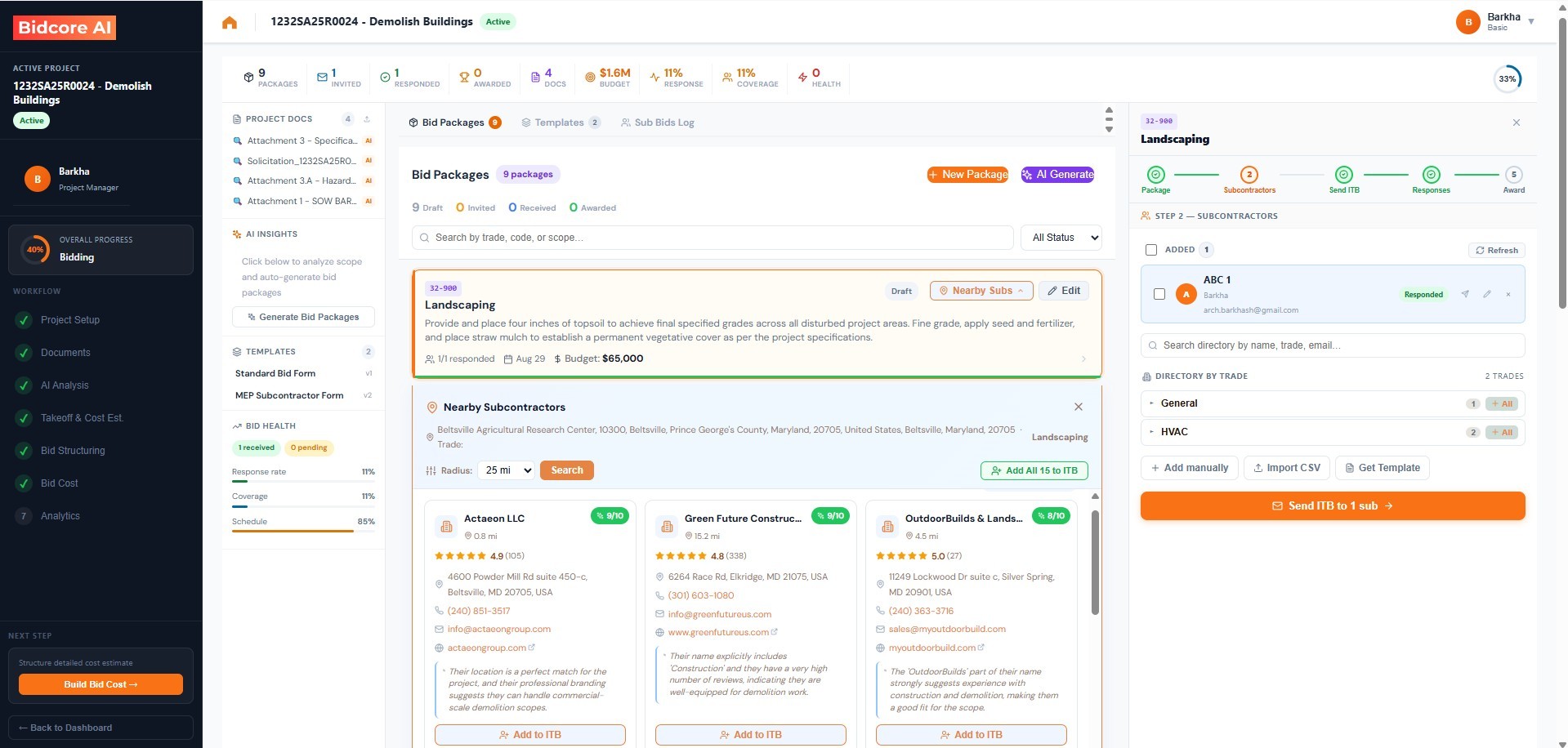
Send bid invitations, track what comes back, compare subcontractor bids and watch federal opportunities, all from one section of the project.

Bid packages and subcontractor leveling in the bid workspace

What you can do

Start from a project or an opportunity
Create a project that opens straight in its Bid Invite, or create an opportunity with no project at all.
Bid packages by trade
One package per trade, with its scope, due date and bid instructions.
Invite subcontractors
Send ITBs with the documents attached, from your own directory or a radius search by trade.
Sub Bid Log
Track each bid per package, then send acknowledgement, clarification, addendum, award and regret notices from templates.
Bid leveling
Compare bids side by side with exclusions, alternates and clarifications, then carry the chosen amount into Bid Cost.
Opportunities and Federal Opportunities
See bid invitations other companies sent you, and a federal feed with match scoring, Go/No-Go, saved searches and alerts.

How it works

1
Create the packages
One package per trade, from the project scope.
2
Invite and track
ITBs go out with the current documents. Log each bid as it returns and send addenda to every invited sub at once.
3
Level and award
Compare the bids on the same scope, award the package and send regret notices.

Questions

Where does the sub list come from?
Your own directory, plus a radius search by trade when you need coverage in an area you have not bid in before.
Can I receive bid invitations as well as send them?
Yes. Opportunities lists the bid invitations other companies have sent you.
Is there a calendar of deadlines?
Yes. The Preconstruction Calendar shows bid deadlines, queries, site visits, openings and award formalities across all your tenders.

Related