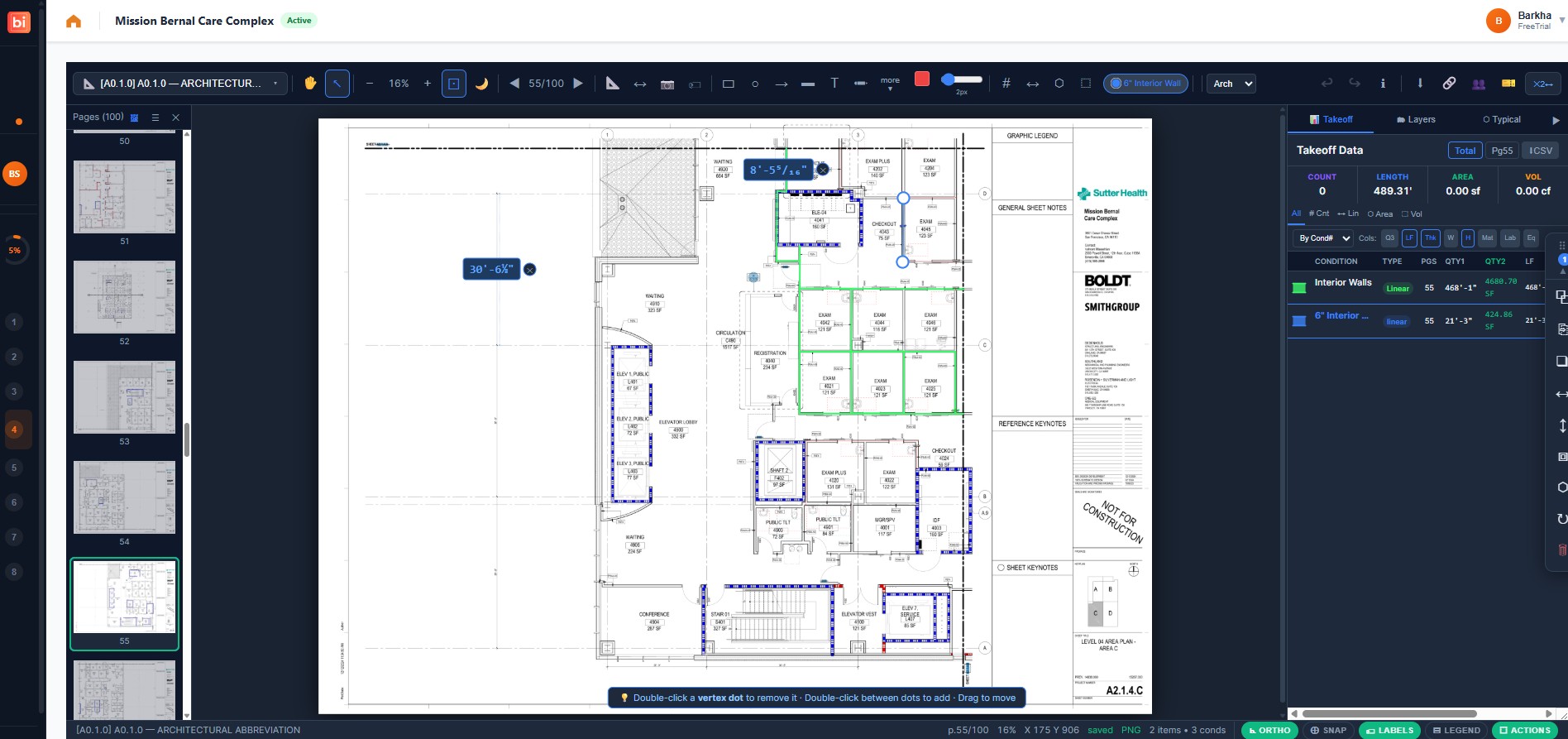
Counts, lengths and areas measured on screen, in the same project as the documents and the estimate. No separate tool, no re-keying.
What it does
On-screen measurement
Count fixtures, trace runs and calibrate areas directly on the drawing, organised by trade.
Version history
Every revision of a takeoff is kept, so a Rev 02 set can be compared against what you priced on Rev 01.
Import what you have
Already have quantities? Bring them in and carry straight on into estimating.
How it works
1
Upload the drawing set
PDF sheets, any size. They stay attached to the project.
2
Measure by trade
Counts, linear runs and areas, grouped so each trade's scope stays separate.
3
Send to estimating
Quantities flow into the CSI estimate against your own cost database.
Questions
Do I need separate takeoff software?
No. The takeoff workspace is part of the platform, so quantities and the estimate live in one project. If you already use another tool, you can import its output instead.
Can your estimators do the takeoff instead?
Yes — our Experienced US Estimators can measure the set for you and deliver the quantities into your project. See Takeoff Services.